
Why a dressmaker quality score refuses to move: wrong client measurements, skirt grain geometry, accessories the game never counts, and input precision loss.
Dressmaker Quality: 3 Failure Causes and the Route to 100%
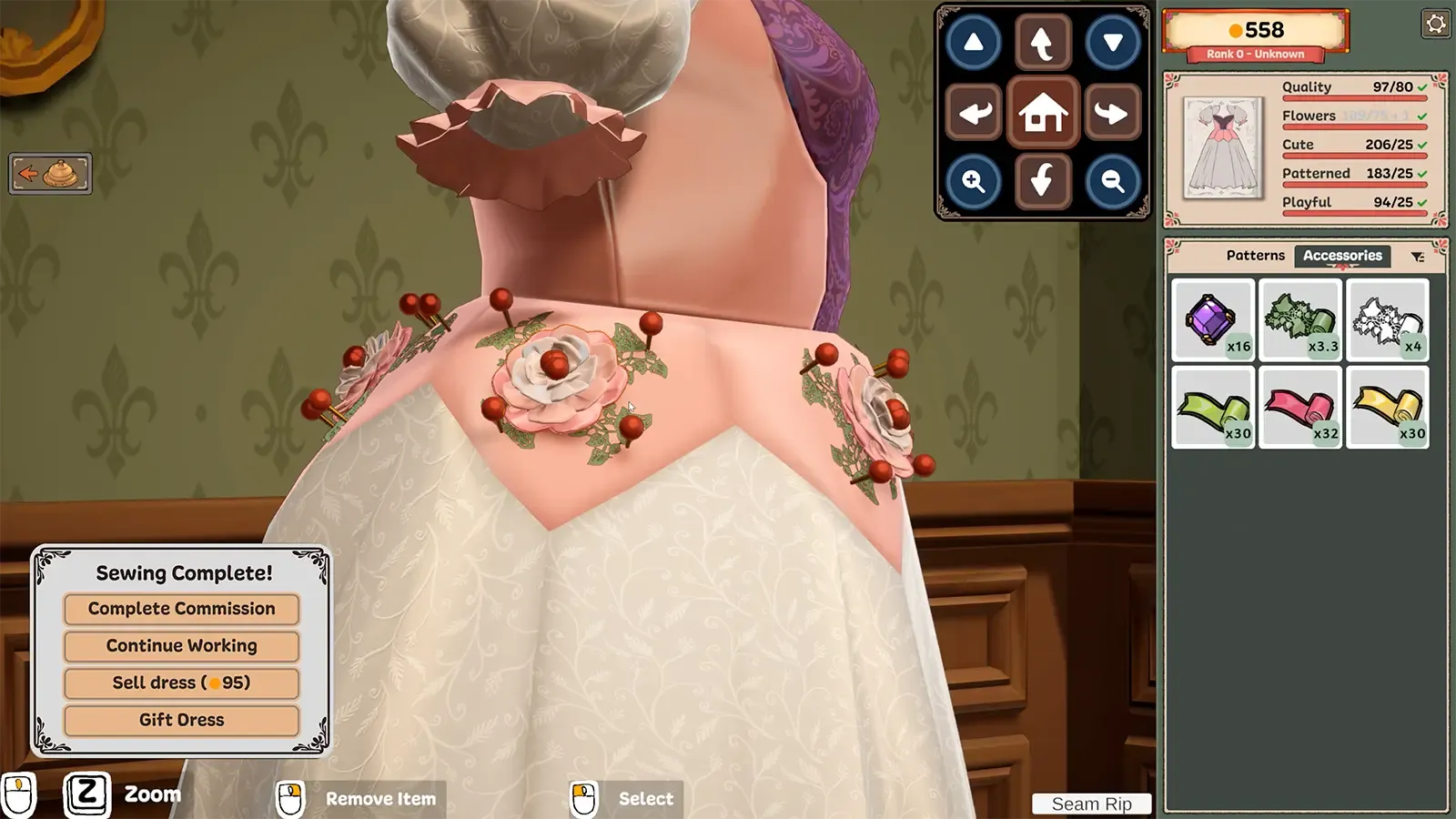
A dressmaker quality score that will not climb is almost never a sewing problem. Three failure sources sit behind it, and only one lives inside the sewing minigame: the roughly 20% slice tied to the measurements you recorded for that client, the per-piece grain and silhouette score (skirts carry the most weight of any panel), and accessories the game never registers even though they are visibly on the dress. Match a request exactly and still get the dress sent back? The request is a ceiling, not a floor.
Official source: Dressmaker on Steam - Cozy Lives / Free Lives, released September 21 2026, $14.99, Windows and Mac.
The 80-point wall nobody warns you about
A player titled their thread "Edith- stuck on 80 quality" and wrote that they had "double checked everything, paid close attention to the grain, and each time it gets stuck on exactly 80". They had redone the identical dress three times.
The replies reframed the problem. The score compares your mannequin against the client's actual measurements, not the ones you wrote down: "You can match the mannequin to the measurements you took perfectly, but if those measurements are incorrect, it will drag down your quality score. Unfortunately the only way to update those measurements is by redoing them the next time the client comes in." A player citing the developers' Discord put it as a split: "measurements & mannequin make up about 20% quality - so especially people stuck at 75-80% likely need to fix the measurements during the next visit."
Symptom-to-cause checklist
Work down this table in order. It is ordered by how often each cause turns out to be the real one, not by how obvious it looks.
| What you see | Most likely cause | Check this first | What actually fixes it |
|---|---|---|---|
| Pinned at exactly 80 | Client measurement values are wrong | Compare your recorded numbers against the client's real ones | Nothing today. Re-measure when that client returns |
| Pinned 75-80 on every dress from that client | Same as above, unverified numbers | If you rushed the measuring minigame | Re-measure; other clients are unaffected |
| 100% on every step but 90-96 total | One piece never registered | Hover each cut piece for its own percentage | Restart the dress, or sell and rebuild it |
| One piece far below the others | Grain angle on that panel | The arrow on the pattern piece | Re-cut that piece along the arrow |
| Score drops while sewing one seam | Curve on that seam | Your approach speed into the turn | Slow down, or turn on sewing assist |
| Gradient fabric costs about 25 points | Gradient caps near 75 on grain | Whether the whole dress is gradient | Keep gradient to one panel, or accept the hit |
| Trim counter frozen at 0/40 or 30/40 | Accessory not recognised | Shop accessories filtered to Lace Trim | Fully quit and relaunch if it still fails |
| Score is 100/60 and rejected | Requirement is a ceiling | The max tag on the request | Deliberately make it worse |
That last row catches almost everyone. In the Quality counter broken thread, a player asked whether the counter was broken after producing a "100/60 quality" dress, and got this back: "its supposed to be maximum 70 quality. you went over that. you need to purposely mess up the sewing & grain!" A counter going the wrong direction is not a bug.
Accessories the game does not count
Commission objectives that demand a specific trim are the third failure source, and they fail in a way that looks exactly like your own mistake. On the thread "Stuck on the level with Alice (Studious Motivation)", one player wrote that they "failed Alice because the game didn't recognize the 2 yards of trim i used on her dress... even though it was there". Another was "at 30/40 lace" with every lace they owned applied. One tried the full catalogue and reported "0/40 stays the same".
Three answers appear in that thread, in this order:
- Filter the shop. Sort the accessories tab for Lace Trim specifically. Items with lace in the name can register as plain Trim instead, satisfying the garment without satisfying the objective.
- Check the category, not the look. A companion thread ends with the edit: "has to be accessory lace not fabric lace!" Lace fabric will not tick a Lace Trim requirement.
- Relaunch the game. The player who first posted a resolution wrote: "it was indeed a bug, as I put the Black Lace all over the dress. The fix for this was to restart the game today it seems, it counted as the Lace Trim. So I guess sometimes the game doesn't recognize an item?" On another quest, fully exiting and restarting made "two more pieces of fabric that weren't in the patterns tab suddenly show up", after which the dress completed.
Skirts are where grain geometry bites
The grain question players keep asking is about the skirt panel, not the sleeves or collars: why the skirt arrives grained at an angle, and whether to fight it. Two things make skirts worse. First, weight: "Skirt pieces seem to have a higher 'weight' to them as far as percentages go, which makes sense as they are the bulk of the dress, the bodice/tops being smaller." One player's observation, not a documented rule, but it explains why a mediocre skirt panel costs more than a mediocre sleeve. Second, geometry. In-game, straight grain runs along the length, left to right as the roll is laid out on the worktable; cross grain runs across the width, top to bottom. A skirt that arrives diagonal sits on bias, which buys drape and costs surface area and score.
Gradient silks make this unavoidable. One player wrote that they "haven't found a way to use the gradient fabric unless I ignore the pattern bias", and a semi-professional dressmaker in the reviews confirmed the inverse: "There are gorgeous gradient silks that, if you place your pattern pieces with the grain as instructed, you will not get a gradient." The Gradient Fabrics and Grain Direction thread settles the community estimate of roughly 75% grain on gradient pieces, which I could not verify in-game. The workable answer, from a player who hit the same wall: "taking a smaller part of the dress (like cuffs or a bow or collar) and changing the grain to 100% on there... not making the entire dress out of graddient, for example!"
The lever also works in reverse. Polygon noted a saboteur can "flip a pattern piece against the grain on purpose" and the client still accepts the dress if the rest of the request is met. Grain angle is the cheapest single-point sabotage in the game.
Input-side precision loss
Steam lists Dressmaker with both a Mouse Only Option and Playable without Timed Input category, so nothing here is about reaction time. It is about how many pixels of cursor travel you can convert into alignment. Three concrete losses:
- Sewing speed. A player with joint pain wrote that "getting 100% on sewing is very difficult without either hurting my fingers, or using A and D to move slowly and imprecisely". Tapping A and D to inch the needle along is the only input-side precision lever players have documented.
- Dummy resizing. A negative review covers it: "The way to change the size of the dressmakers dummy is too finicky. its far too senisetive and you cannot remapp the controls to ones that would be more suitable, like direction keys." Sensitive resizing feeds straight into the measurement penalty above.
- Small targets and low contrast. Two reports: "some of the accessories in the shop are a touch too small, making clicking on them a bit of a challenge", and on the measuring ghost bar, "the same color as the silhouette can really throw off someone who either has poor sight or colorblindness or even just a fidgety monitor."
player-published layout in the Steam Deck Questions thread, not a supported default. The developers have said plainly on the Steam store page that "The game runs fast on the Steam Deck, but we want to give it proper controller support" - so treat every Deck control scheme as a community patch until official support lands. See the platform notes in Dressmaker on Steam and Mac. Accessibility today is two toggles, per a reviewer who uses both: "just sewing assistance and larger rotation gizmos." If you rely on either, your ceiling is set by the assist, not by your hands.
FAQ
Why am I stuck at exactly 80 quality no matter what I do? Because your recorded measurements for that client are wrong, not because your sewing or cutting slipped. Sewing and cutting make up the other 80 points, so once you are pinned at exactly 80 both are already maxed. You cannot correct the numbers until that client returns.
My score is 100/60 and the client still sent the dress back. Is the counter broken? No. Some commissions set a maximum, not a minimum, and the game does not always label it. The community fix is to deliberately worsen the sewing and the grain until you land inside the window. One player who needed a sub-70 dress hit this in reverse and called herself softlocked because everything she made was too good.
Does the game sometimes just not recognize an item? On objective-trim commissions, yes, and players report it as the game "not recognizing" an accessory that is visibly attached. Filter the shop for the exact trim type, confirm you are using accessory trim rather than trim fabric, and if the counter will not move, fully quit and relaunch.
All of the skirts are always grained at an angle. Should I fight it? Only when grain is what drags your total down. Skirt panels carry more weight than bodice pieces, so a diagonal skirt costs more than a diagonal sleeve would. Re-cut along the arrow for ordinary fabric; for gradient silks, keep the gradient to one panel rather than fighting it across the whole dress.
Related Guides
- Dressmaker tutorial walkthrough - the cutting and sewing steps that feed the 80 points, in order.
- Dressmaker on Steam and Mac - store facts, platform support, and what the developers have publicly committed to.
- Dressmaker characters and commissions - who wants what, and where the ceiling-style sabotage objectives come from.